QUEEN THE GREATEST POP-UP STORE in TOKYO
「QUEEN THE GREATEST POP-UP STORE in TOKYO」にご来店、さらにデジタルイベントに参加してくださったお客さまに、QUEENのメンバーが京都観光中に平安神宮内の泰平閣をバックに収まる写真をモチーフにした、当ストアのメインビジュアルを待受け画像としてプレゼント!!
【期間】
2022年11月24日(木)~2022年12月11日(日)
【参加手順】
[STEP 1] 下記「必ずお読みください」及び各種ご注意事項をよくお読みください
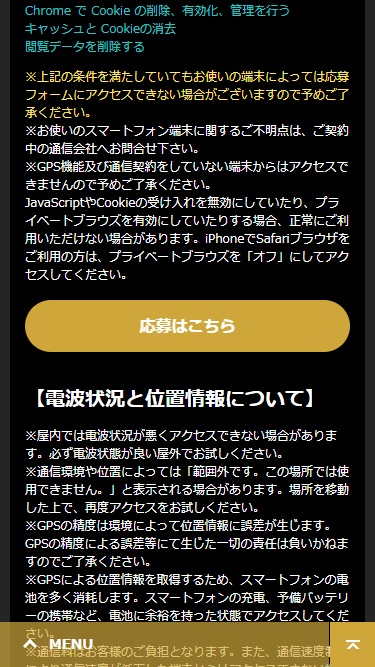
[STEP 2] 下記「応募はこちら」ボタンをクリックし、別ページが立ち上がるのを確認してください
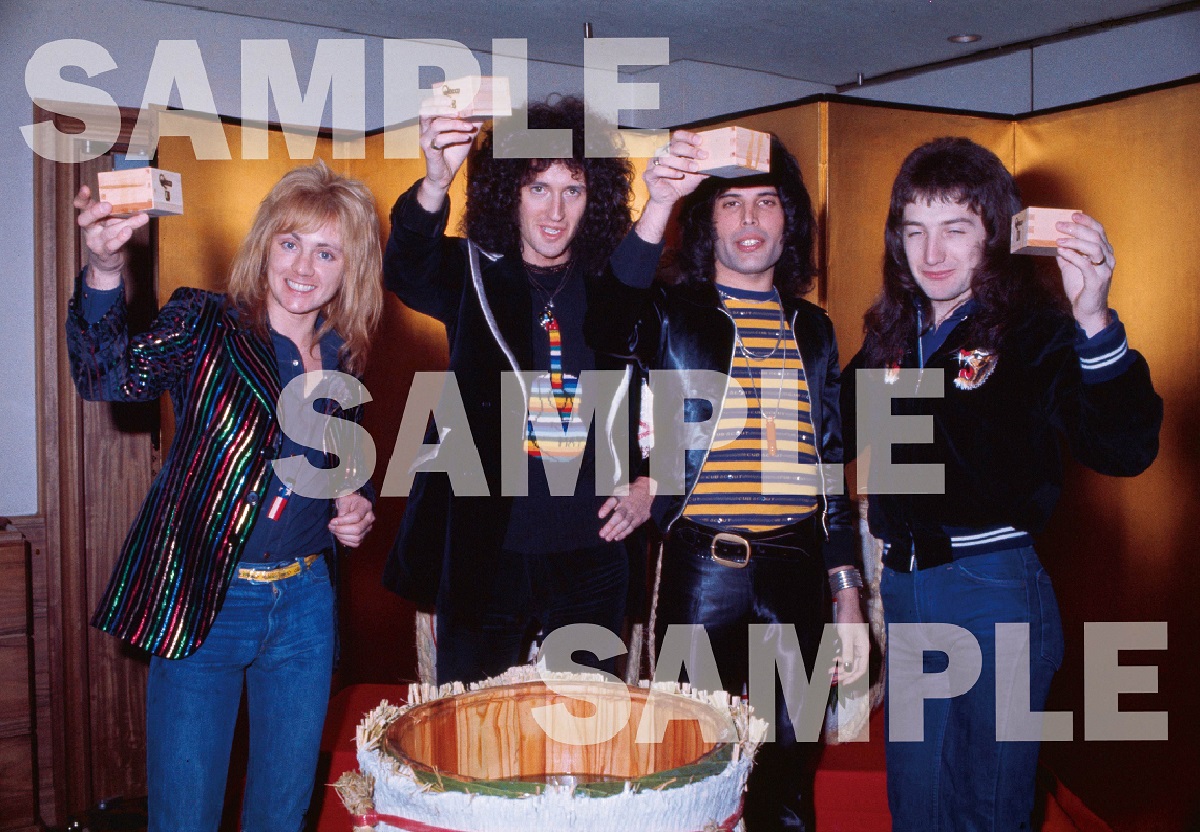
[STEP 3] 別ページでブラウザ内カメラが起動したら、QRコード横に設置しているメンバー写真をカメラでかざしてください
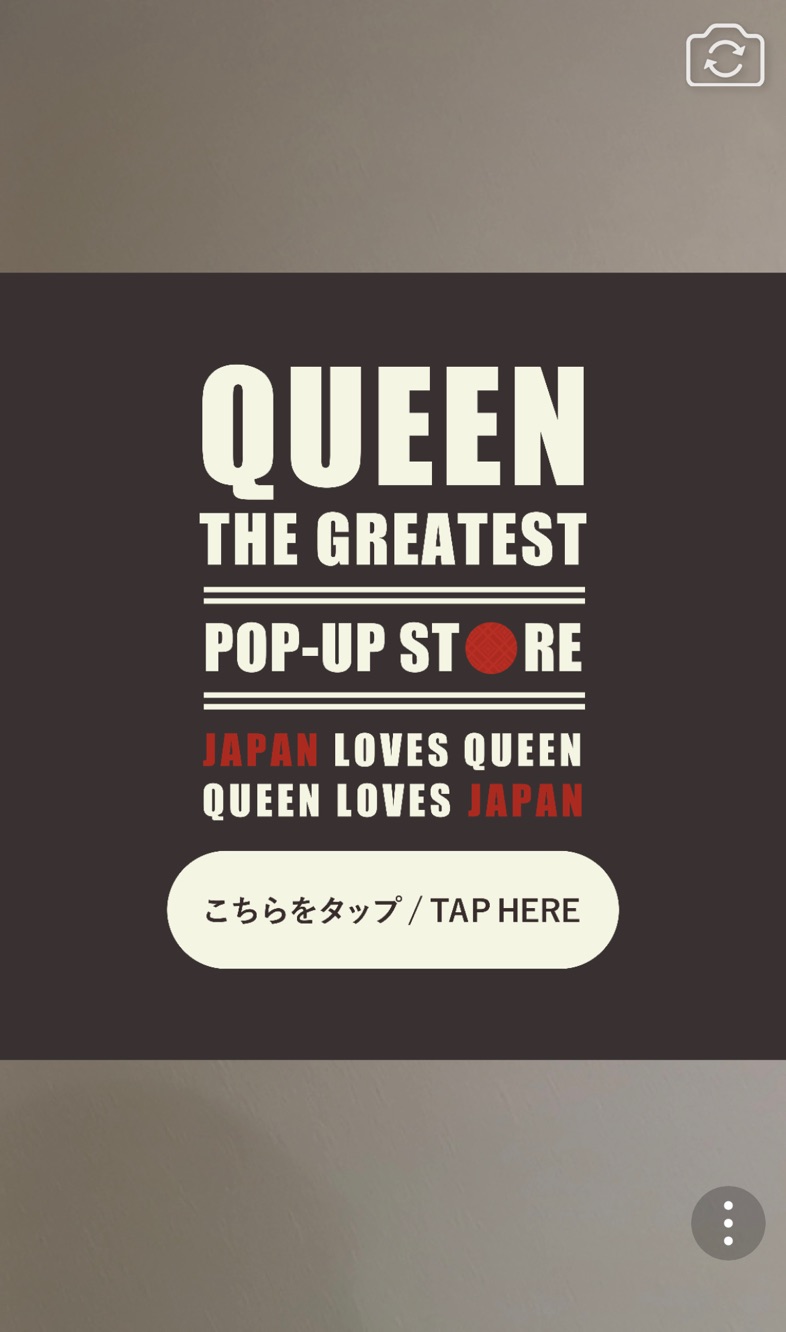
[STEP 4] 画面に表示される画像をタップしてください
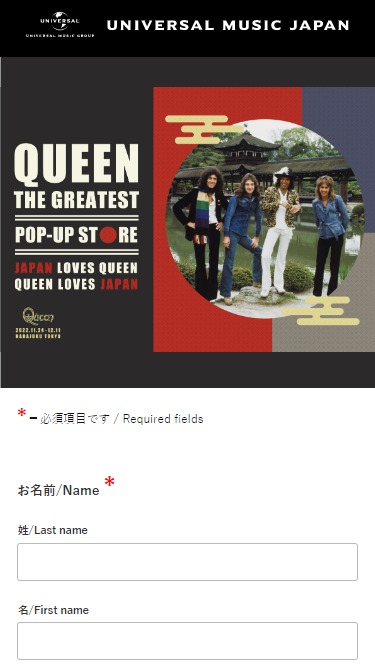
[STEP 5] 応募フォームに必要事項をご記入いただき、オリジナルスマホ待受け画像をダウンロードしてください
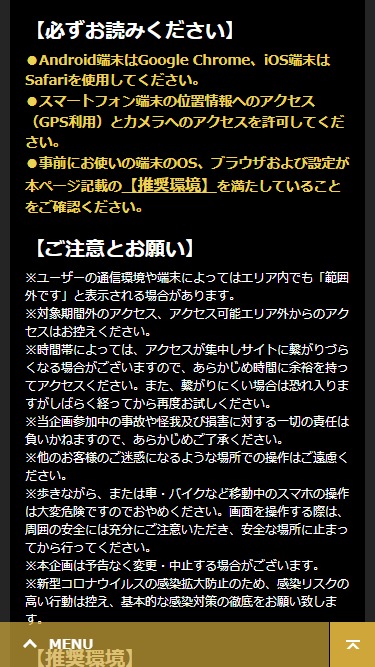
【必ずお読みください】
●Android端末はGoogle Chrome、iOS端末はSafariを使用してください。
●スマートフォン端末の位置情報へのアクセス(GPS利用)とカメラへのアクセスを許可してください。
●事前にお使いの端末のOS、ブラウザおよび設定が本ページ記載の【推奨環境】を満たしていることをご確認ください。
【ご注意とお願い】
- ※ユーザーの通信環境や端末によってはエリア内でも「範囲外です」と表示される場合があります。
- ※対象期間外のアクセス、アクセス可能エリア外からのアクセスはお控えください。
- ※時間帯によっては、アクセスが集中しサイトに繋がりづらくなる場合がございますので、あらかじめ時間に余裕を持ってアクセスください。また、繋がりにくい場合は恐れ入りますがしばらく経ってから再度お試しください。
- ※当企画参加中の事故や怪我及び損害に対する一切の責任は負いかねますので、あらかじめご了承ください。
- ※他のお客様のご迷惑になるような場所での操作はご遠慮ください。
- ※歩きながら、または車・バイクなど移動中のスマホの操作は大変危険ですのでおやめください。画面を操作する際は、周囲の安全には充分にご注意いただき、安全な場所に止まってから行ってください。
- ※本企画は予告なく変更・中止する場合がございます。
- ※新型コロナウイルスの感染拡大防止のため、感染リスクの高い行動は控え、基本的な感染対策の徹底をお願い致します。
【推奨環境】
ブラウザ・OSバージョンに指定がございますので、必ず下記の環境・端末よりアクセスしてください。
特にAndroid端末はメーカーによって端末の仕様が大きく異なります。下記の条件を満たしていても応募フォームにアクセスできない場合は、端末固有の設定が必要となる場合がございますので、ご契約中の通信会社へお問合せ下さい。
下記設定方法をご確認の上、位置情報へのアクセス(GPS利用)とカメラへのアクセスを許可してください。
- ■ブラウザについて:
- ・Android端末:
ブラウザ:Google Chrome 最新版
OSバージョン:Android OS 9.0以上
Android端末搭載の標準ブラウザは未対応 - ・iOS端末:
ブラウザ:Safari 最新版
OSバージョン: iOS14以上
- ■GPS機能の設定方法
- iOS端末の設定方法はこちら
- Android端末の設定方法はこちら
- ■カメラの設定方法
- iOS端末の設定方法はこちら
- Android端末の設定方法はこちら
- ※設定を許可しても応募フォームにアクセスできない場合は、ブラウザの閲覧履歴やCookieの削除をお試しください。
ブラウザの閲覧履歴やCookieの削除および設定変更に伴い発生した不具合について、弊社は一切の責任を負いかねますので予めご了承ください。
- ■閲覧履歴とCookieの削除方法
- iOS端末:
iPhone、iPad、iPod touch で Safari から閲覧履歴と Cookie を消去する - Android端末:
Chrome で Cookie の削除、有効化、管理を行う
キャッシュと Cookieの消去
閲覧データを削除する
- ※上記の条件を満たしていてもお使いの端末によっては応募フォームにアクセスできない場合がございますので予めご了承ください。
- ※お使いのスマートフォン端末に関するご不明点は、ご契約中の通信会社へお問合せ下さい。
- ※GPS機能及び通信契約をしていない端末からはアクセスできませんので予めご了承ください。
- JavaScriptやCookieの受け入れを無効にしていたり、プライベートブラウズを有効にしていたりする場合、正常にご利用いただけない場合があります。iPhoneでSafariブラウザをご利用の方は、プライベートブラウズを「オフ」にしてアクセスしてください。
【電波状況と位置情報について】
- ※屋内では電波状況が悪くアクセスできない場合があります。必ず電波状態が良い屋外でお試しください。
- ※通信環境や位置によっては「範囲外です。この場所では使用できません。」と表示される場合があります。場所を移動した上で、再度アクセスをお試しください。
- ※GPSの精度は環境によって位置情報に誤差が生じます。GPSの精度による誤差等にて生じた一切の責任は負いかねますのでご了承ください。
- ※GPSによる位置情報を取得するため、スマートフォンの電池を多く消耗します。スマートフォンの充電、予備バッテリーの携帯など、電池に余裕を持った状態でアクセスしてください。
- ※通信料はお客様のご負担となります。また、通信速度制限により通信速度が低下した端末からはアクセスできない場合がありますので予めご了承ください。
- ※GPS機能を有効にしても位置情報を取得できない場合、Wi-Fi機能をオン(接続は不要)にすることで、位置情報を取得できる場合があります。
- ※電波状況、アクセス状況によっては、位置情報を取得できない場合があります。
- ※取得した位置情報には数m~数百mの誤差が生じる場合があります。
- ※天候が悪いと、位置の誤差が大きくなる場合があります。
- ※GPS衛星の軌道の位置によっては、一時的に位置情報が取得できない場合があります。
【お問い合わせ】
ユニバーサルミュージック カスタマーサービス・センター
月~金 10:00~18:00(土日・祝日・年末年始を除く)
https://lp.universal-music.co.jp/forms/inquiry/
- ※土日・祝日に頂いたお問い合わせは、翌営業日の受付となります。ご了承ください。
- ※お問合せ内容によってはご返信までにお時間をいただく可能性がございます。ご了承ください。
Customers who visit QUEEN THE GREATEST POP-UP STORE in TOKYO and participate in the digital event will receive the store’s branding visual as a wallpaper, featuring a photograph of the members of QUEEN with Taiheikaku in Heian Shrine in the background while sightseeing in Kyoto!
【Campaign Period】
November 24th (Thu), 2022 - December 11th (Sun), 2022
【How to Participate】
[STEP 1] Please read the following “Please read carefully” and other precautions carefully.
[STEP 2] Click the “Click here to apply” button below. A new page will open on your browser.
[STEP 3] Scan the photo of Queen placed next to the QR code with your smartphone
[STEP 4] Tap the image displayed on the screen.
[STEP 5] Fill out the application form and receive an exclusive smartphone wallpaper!
【Please read carefully】
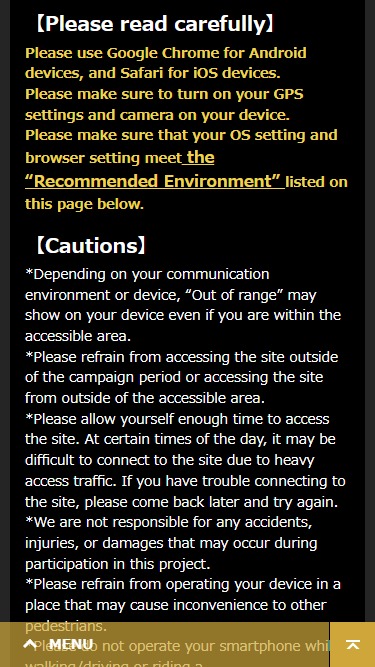
Please use Google Chrome for Android devices, and Safari for iOS devices.
Please make sure to turn on your GPS settings and camera on your device.
Please make sure that your OS setting and browser setting meet the “Recommended Environment” listed on this page below.
【Cautions】
- *Depending on your communication environment or device, “Out of range” may show on your device even if you are within the accessible area.
- *Please refrain from accessing the site outside of the campaign period or accessing the site from outside of the accessible area.
- *Please allow yourself enough time to access the site. At certain times of the day, it may be difficult to connect to the site due to heavy access traffic. If you have trouble connecting to the site, please come back later and try again.
- *We are not responsible for any accidents, injuries, or damages that may occur during participation in this project.
- *Please refrain from operating your device in a place that may cause inconvenience to other pedestrians.
- *Please do not operate your smartphone while walking/driving or riding a car/motorcycle/other vehicles. Please pay close attention to your surroundings and secure a safe space before participating in this campaign.
- *This campaign may be subject to change or cancellation without prior notice.
- *To prevent the spread of the COVID19, please refrain from activities with a high risk of infection and take all basic infection control measures.
【Recommended Environment】
Please be sure to access the application form with the following environment and devices.
If you cannot access the application form despite meeting all requirements below, please contact your telecommunication company for the settings specific to your device.
Please check the following settings and allow access to location information (using GPS) and camera access.
- ■About browsers:
- -Android devices
Browser: Google Chrome latest version
OS version: Android OS 9.0 or higher
Standard browsers on Android devices are not supported. - -iOS devices
Browser: Safari latest version
OS version: iOS 14 or higher
- ■How to set your browser access to your GPS settings
- Click here to see how to set up for iOS devices (Japanese)
- Click here for Android devices (Japanese)
- ■How to set up the camera
- Click here for iOS device settings (Japanese)
- Click here for Android device settings (Japanese)
- ※*If you are still unable to access the application form even after completing the above settings, please try deleting your browser’s browsing history and cookies.
*Please note that we are not responsible for any issues that may occur as a result of deleting your browser’s browsing history and cookies or changing its settings.
- ■How to delete browsing history and cookies
- iOS devices
Clear the history and cookies from Safari on your iPhone, iPad, or iPod touch - Android devices
Clear, enable, and manage cookies in Chrome
Clear cache & cookies
Clear browsing data
- *Please note that you may not be able to access the application form depending on the device you are using, even if you meet the above conditions.
- *If you have any questions regarding your smartphone device, please contact your telecommunication company.
- *Please note that the application form cannot be accessed from devices that do not have a GPS function or access to telecommunication service.
- *If your JavaScript and Cookies are disabled or Private Browsing is enabled, you may not be able to access to the application form.
【About Service Signals and Locations】
- *Please be sure to access to the application with stable service signal, such as outdoors.
- *Depending on your communication environment and your location, you may see an error message “Out of range”. Please move to a new location and try accessing again.
- *Please note that GPS accuracy may vary depending on your environment, and we are not responsible for any errors caused by GPS accuracy.
- *The GPS location information consumes a large amount of the smartphone battery. Please charge your smartphone or carry a charger to ensure that you have sufficient battery power to access to the application form.
- *Communication charges are the responsibility of the customer. Please note that you may not be able to access the site from a device with low communication speed due to communication speed limitation.
- *If location information cannot be obtained even with the GPS function enabled, it may be possible to obtain location information by turning on the Wi-Fi function (no connection required).
- *Location information may not be acquired depending on signal and access conditions.
- *The acquired location information may have an error of several meters to several hundred meters.
- *Location error may increase in bad weather conditions.
- *Depending on the orbital position of GPS satellites, location information may be temporarily unavailable.
【Inquiries】
Universal Music Customer Service Center
Monday-Friday 10:00 JST -18:00 JST (except weekends/Japanese holidays)
https://lp.universal-music.co.jp/forms/inquiry/
- *Inquiries received on weekends/Japanese holidays will be processed on the next business day.
- *Depending on the nature of your inquiry, it may take some time for us to reply.